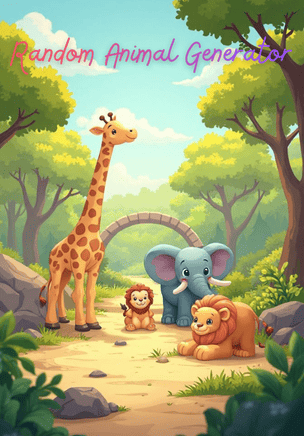
Random Animal Generator
Need a creature on the spot for a story beat, a science icebreaker, or a sketch warm-up? This random animal generator draws from a curated animal list so every result feels concrete enough to discuss habitat, movement, or personality. Open the tool, generate, and treat the animal name as primary text—ready to shout across a classroom or paste into a character sheet.
How to use a random animal in a session
Frame the activity first: invent a character trait, locate a habitat on a map, draw a thirty-second silhouette, or compare two animals’ adaptations. Generate once with the group watching, then spend energy on the conversation or sketch the animal unlocks. Switch to a custom deck when your syllabus needs only insects, only ocean life, or bilingual labels.
- Tell the group what they will do with the animal (write, discuss, draw, or act).
- Generate and display the primary animal name where everyone can see it.
- Give a short timer for the response so the warm-up stays crisp.
- Optional: add a follow-up question—diet, biome, predator/prey, or sound.
- Capture keepers on a board if animals become recurring motifs across a unit.
- Create a themed animal deck from / when the shared list is broader than your lesson.
Looking for more public tools? Explore random generators on Lompu, read our guides on classroom, meeting, and writing use, or connect an assistant through Lompu MCP.
Classrooms, writers’ rooms, and party rituals
Elementary science teachers open with a surprise animal and ask for one adaptation guess before any reading starts. The draw creates shared curiosity; the lesson supplies the accurate biology afterward.
ESL instructors use animal names for pronunciation, plural practice, and simple descriptive sentences—“The otter is playful”—keeping vocabulary concrete for beginners who struggle with abstract nouns.
Novelists and RPG tables pull an animal when a familiar needs a spirit form, a heraldic emblem, or a quirk that is not another wolf. Real species keep research optional but available.
Art warm-ups benefit from creature silhouettes: students capture gesture and proportion under a one-minute timer, then compare how differently everyone interpreted the same mammal or bird.
Family game nights invent charades or twenty-questions rounds from the spinner, avoiding the host bias of always picking the same easy animals.
Museum educators sometimes close a gallery visit with two animal draws and ask visitors which exhibit object feels closest in movement or pattern, bridging specimens with imagination.
List design and how sampling works
Entries are curated animal names chosen for recognizability in games and lessons: a mix of familiar mammals, birds, reptiles, and other groups depending on the published deck. The goal is interactive usefulness, not a complete taxonomic census of Earth.
Each generate action samples uniformly among published items. There is no stealth popularity weighting toward “cute” animals unless curation simply included those names once each in the list.
Primary text is the animal label. Companion fields—if shown—might include habitat hints or simple categories. Treat helpers as conversation starters, not as a substitute for a field guide.
Because the pool is finite, repeats across a week of warm-ups are normal. Novelty comes from the prompts you attach—adaptation debates, comic panels, or sound imitations—not from never seeing “fox” twice.
Scientific names, endangered-status flags, and diet charts are outside the default primary result. Advanced biology units should pair the spinner with trusted references rather than treating the webpage as a taxonomy authority.
Boundaries: accuracy, sensitivity, and safety
Random animals are prompts, not veterinary advice, pet-shopping recommendations, or permission to keep wildlife. Real animal care needs experts, local law, and ethical sourcing—none of which live in a generate button.
Classroom conversations should avoid mocking animals associated with cultural symbols or turning fear responses into bullying. Redirect squeamish reactions into curiosity about adaptations.
Some learners have trauma or phobia triggers around specific creatures. Preview lists for sensitive groups, allow pass options, and keep a custom “soft” deck for younger or trauma-informed settings.
Do not invent citation-ready facts from the spinner. If a student claims a behavior or range, verify with age-appropriate encyclopedias or museum materials before grading for accuracy.
Hybrid rooms need a single operator so lag does not create competing “official” animals. Read the name clearly for remote participants and spell uncommon words once.
Outdoor education programs that assign real wildlife observation should plan with rangers and safety protocols; a random webpage draw is only a theme seed for journaling, not a field itinerary.
Animal spinner versus custom decks and study tools
This public page is a zero-setup creature picker. Building your own generator at / lets you limit to rainforest species, attach images for pre-readers, or add a “fun fact” column teachers reveal after guesses.
Compare related public tools on /explore—drawing challenges, city spins, activity ideas—when your session mixes creatures with other random prompts.
Pedagogy patterns for combining random draws with discussion live in /guides/classroom-random-generators. Use those flows when you want the animal to trigger a structured think-pair-share rather than chaos.
For vocabulary drill framing rather than surprise picks, study-style pages such as /family-flashcards and the maker at /tools/flashcards-maker show how Lompu supports card-based learning. You can mirror that pattern with a custom animal vocab deck.
Corrections, accessibility notes, or product questions: send details through /contact so editors can review the published animal list with context.
Report this tool
If this page contains abusive, illegal, or rights-infringing material, email contact@lompu.com with the URL and a short description. See also our Terms of Service and the content policy notes on Explore.
Build Your Own Random Generator
Create a custom random generator in seconds with your own list, images, and fields. Make a picker for decisions, ideas, games, giveaways, study prompts, or anything else you want to choose at random. Compare public examples on Explore, then share your finished tool with a simple link.